
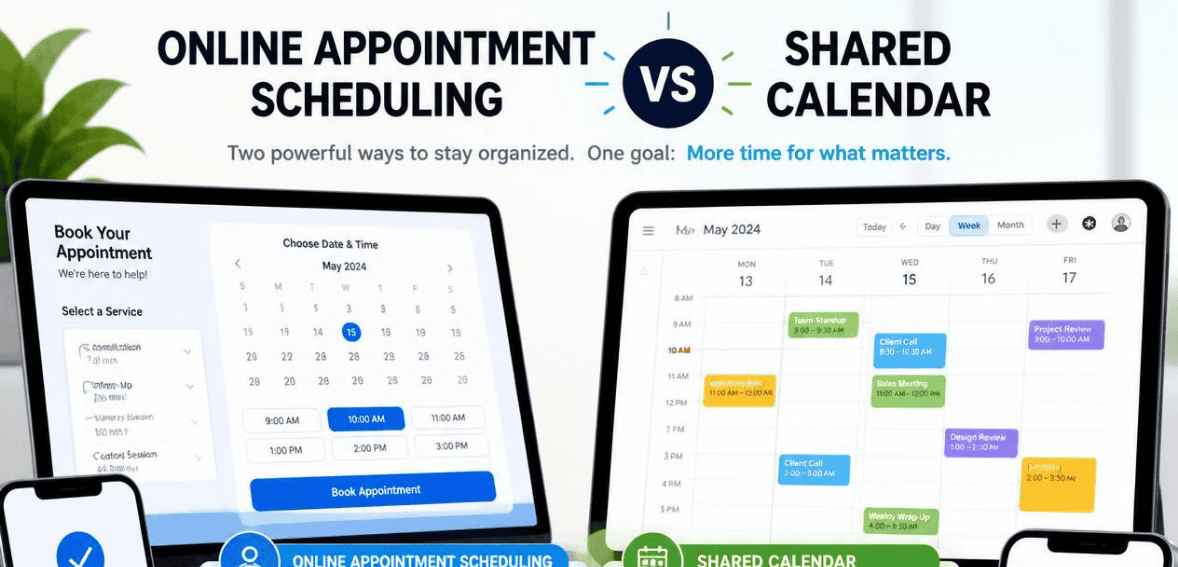
Picture this. It’s Monday morning. Two clients show up for the same 10 a.m. slot. Your team booked both. One person used the shared calendar. The other penciled it in by text. Now someone has to wait, apologize, and reschedule. Sound familiar?
Most companies ask themselves a significant question about this time. Should you stick with a shared calendar, or switch to online appointment scheduling? While these two tools may appear similar, they operate very differently. Your choice now will greatly impact how effortless your bookings will be for years to come.
This guide simplifies the appointment scheduling vs shared calendar argument. You will discover the functionality of each, their strengths, and how to select the more appropriate solution for your team.
What Is a Shared Calendar?
A shared calendar is a group view of time. A team can add, edit, and see events in one place. Everyone stays on the same page about who is doing what and when.
Most likely, you’ve got one. Shared calendars are available on both Google and Outlook. You make an event, send invites, and it shows on every attendee’s calendar. Users can change views to day, week, or month. They can also set notification reminders for events.
Internal coordination is where shared calendars shine. Great for staff meetings and project due dates. Helps you know the team’s schedule. Answers the main question, “What is everyone doing today?”
There is, however, one major flaw. Shared calendars were made for teams, not for customers. Shared calendars are a way to see time, but they don’t actually schedule time for you and that is a major problem when your team needs to rock and roll with your clients.
What Is Online Appointment Scheduling?
With online appointment scheduling, clients take the reins and schedule appointments with no intervention from your team. Just provide the link, and your clients see your availability and book. It even integrates with your calendar.
This is what appointment scheduling software does. It generates a booking page that is public. It connects to your calendar. It can send reminders. There are even scheduling tools that process payments at the time of appointment booking.
The most important aspect of scheduling software is that it eliminates the back-and-forth of phone calls and email scheduling. Research in scheduling work systems indicates that teams that manage their own bookings lose at least 30 minutes of work a day. Online scheduling eliminates that loss.
Another important win is that online scheduling only shows your available time slots. If a time slot is scheduled, no one sees it, meaning that the potential for double booking is eliminated. Shared calendars do not provide this feature.
Appointment Scheduling vs Shared Calendar: The Core Difference
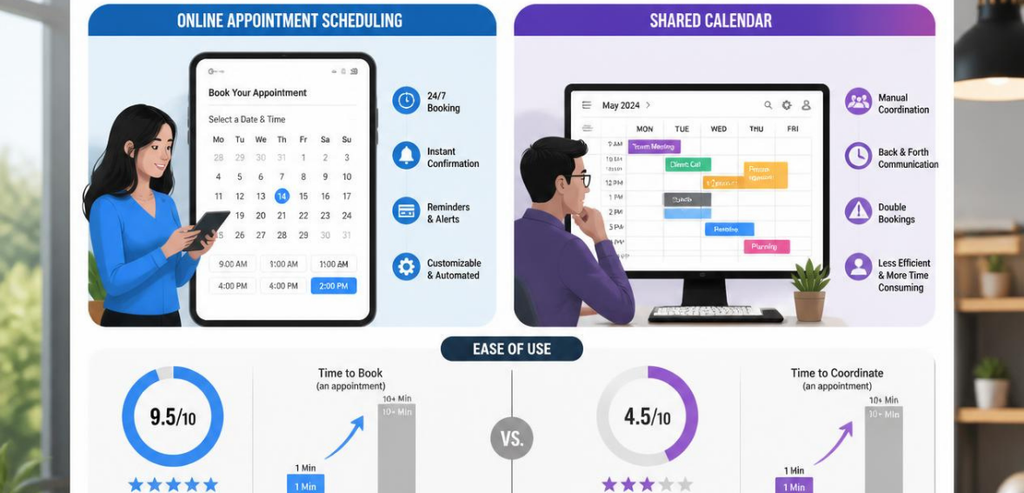
Here’s the simplest way to think about it. A shared calendar is a mirror. Online appointment scheduling is a storefront.
A mirror reflects what already exists. Your team looks at it to stay in sync. A storefront invites people in and lets them take action. Clients use it to book, reschedule, and confirm without your help.
Both tools track time. Only one turns that time into a booking. That’s the line that separates them. And understanding that line makes the rest of the choice easy.
Key Differences That Actually Matter
The two tools split apart the moment real clients get involved. A few differences carry the most weight.
Who Controls the Booking
Your team manually inputs every event with your shared calendar system. Someone will type in the client’s name, select a time, and hope the time wasn’t already taken. With the online appointment scheduling system, the client does the work. The client will select a time from the time slots you’ve already approved. The system controls the rules, and the work shifts from your staff to the system.
Real-Time Availability and Double Bookings
Usually, double booking starts with an information gap. One user will update a shared calendar. One user will use a different app, or, in some rare cases, a sticky note. Because these two people don’t work together, there is a gap that needs to be filled. A scheduling tool fixes this gap. This tool confirms scheduling by checking the calendars to see whether or not there is availability. When a calendar gap gets filled, that gap disappears for everyone. The result is fewer collisions and less damage control.
Automated Reminders and No-Shows
No-shows drain revenue. A shared calendar can ping your team, but it rarely nudges the client. Appointment scheduling software sends automatic confirmations and reminders by email or text. Clients get a heads-up before the appointment. Attendance climbs. Empty slots shrink. This alone often pays for the software.
The Client Experience
Shared calendars help with team organization. They don’t help the meeting booker. With online scheduling, clients see your branded page, and they can book meetings any time. Right from the start, people feel cared for and have a reason to come back.
When a Shared Calendar Is Enough
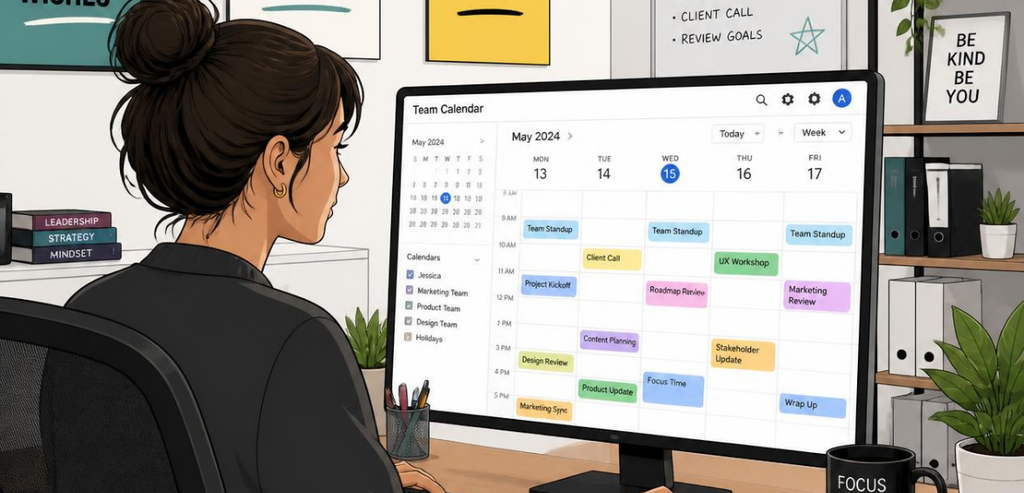
Not every business needs a booking page. Sometimes a shared calendar does the whole job.
When scheduling is mostly internal, a shared calendar is sufficient. Think of things like team standups, project milestones, and shift scheduling. No one outside of the team needs to book you. It is important for everyone to view the same schedule. For some of the more basic or very small operations, you can do without the added tool. If you have a few appointments per week, you can do a manual entry and be fine. The added software tools can be unneeded friction at that point. Shared calendars work with the tools you probably already have.
Google Calendar and Outlook integrate with the software tools and workflows that most teams utilize. For pure coordination, that can be a large advantage. The main signal to upgrade is when someone on the team spends a significant portion of their time managing bookings and calendar appointments.
When You Need Online Appointment Scheduling

The tipping point comes when clients start booking you directly. That’s when a shared calendar begins to leak.
If your clients reach out to you to schedule appointments, it’s time to get a booking page. That goes for clinics, salons, coaches, consultants, and studios. Lost and double-booked appointments cost time and money.
Your growing client base is another reason to get online appointment scheduling. As your client base grows, so does the need for timely appointments. Reschedule requests become an overwhelming task for your staff. Online appointment scheduling solves that problem.
You need online scheduling when the client experience is an extension of your brand. A seamless booking process shows your clients you value their time. In service-oriented businesses, that value enhances the service you provide.
Popular Tools Compared
Several tools dominate this space. Here’s how a few well-known names fit into the appointment scheduling vs shared calendar picture.
Google Calendar
Google Calendar is one of the earliest examples of a shared calendar system. It is free and accommodates team scheduling. Recently, Google Calendar has created a built-in appointment scheduling system. You can make a booking page, set your appointment slots, and share the page, all within Google Calendar. It will even find appointment conflicts across your calendars. For individual professionals, especially those using Gmail, there is no need for a third-party system. You can try Google Workspace for this feature. Just know, compared to other dedicated booking tools, Google Calendar has much simpler booking and automation rules.
Calendly
Calendly is a dominant name in appointment scheduling. Clients learned to love it thanks to the elimination of time-wasting email exchanges. Once you send event invitations, you’ll receive a response with an accepted appointment time, and both calendars will synchronize. Calendly offers integrations with multiple calendar apps, and syncs with each app to check availability. It handles event type differentiation, meeting reminders and time buffers. Thanks to a seamless UX, Calendly is a favorite with sales, recruiting and consulting professionals whose primary work involves external meetings. Calendly is a world-class scheduling tool, but you won’t be able to use it to manage all of your business operations.
Microsoft Bookings
Microsoft Bookings allows appointment booking within the Microsoft product range. Because Microsoft Bookings integrates with Microsoft Outlook, it keeps track of all employees’ bookings in real time. If two customers try to book an appointment at the same time, the appointment slot will be closed for everyone, as Bookings takes care of double booking. For all the teams using Microsoft 365, the Bookings System is an incredible choice of product.
How to Choose Between Them
Let’s start with one question. Who does the booking? If the internal team books the internal events, a shared calendar will suffice. If you are booking clients, then you will need to invest in an online appointment scheduler.
Now think about your volume. If you are only booking a few appointments a week, it may not justify the need for booking software. If you are booking dozens, then the time you save will justify the cost.
Lastly, consider the integrations. If you already have a scheduling system with Google or Microsoft, you may not need to invest in additional scheduling software. If you need more scheduling automation, booking tools, and page scheduling integrations, they are worth the investment.
You’ll be happy to know that you will not have to choose. Most scheduling software will integrate with calendar systems, making a scheduling system your primary system. Because they will be handling client interactions, you will solve both sides of the problem.
Conclusion
The appointment scheduling vs shared calendar choice comes down to purpose. A shared calendar keeps your team aligned. It’s simple, familiar, and perfect for internal coordination. Online appointment scheduling takes over the moment clients start booking you. It removes double bookings, cuts no-shows, and gives customers a smooth self-service experience.
Match the tool to the job. If your scheduling stays inside the team, a shared calendar likely does the trick. If clients need to reach you around the clock, appointment scheduling software is the smarter move. Many businesses end up using both, and that’s often the strongest setup of all. Look at how you book time today, and let that answer point you to the right tool.
Frequently Asked Questions (FAQs)
Can a shared calendar replace appointment scheduling software?
Not fully. A shared calendar shows availability, but clients can’t safely book themselves. It also lacks automated reminders and reliable conflict blocking. For internal coordination, it works well. For client bookings, appointment scheduling software fills the gaps.
Does online appointment scheduling stop double booking?
It comes very close. Scheduling tools check live availability before confirming a slot. Once a time is booked, it vanishes for everyone. That real-time sync is why double bookings drop sharply compared to manual calendar entry.
Is appointment scheduling software worth it for a small business?
Often, yes. If clients book you and you handle more than a handful of appointments a week, the time savings add up fast. Fewer no-shows and less admin work usually cover the cost. Very small or purely internal teams may not need it yet.
Can I use a shared calendar and a scheduling tool together?
Absolutely. Most scheduling tools sync directly with Google Calendar or Outlook. Your shared calendar stays the foundation for team coordination. The scheduling tool handles client bookings on top of it. Together, they cover both sides cleanly.