
Ever finished one appointment and sprinted straight into the next? No time to breathe. No time to wipe down the room. No time to even glance at your notes. That kind of day leaves you frazzled, and your clients can feel it too.
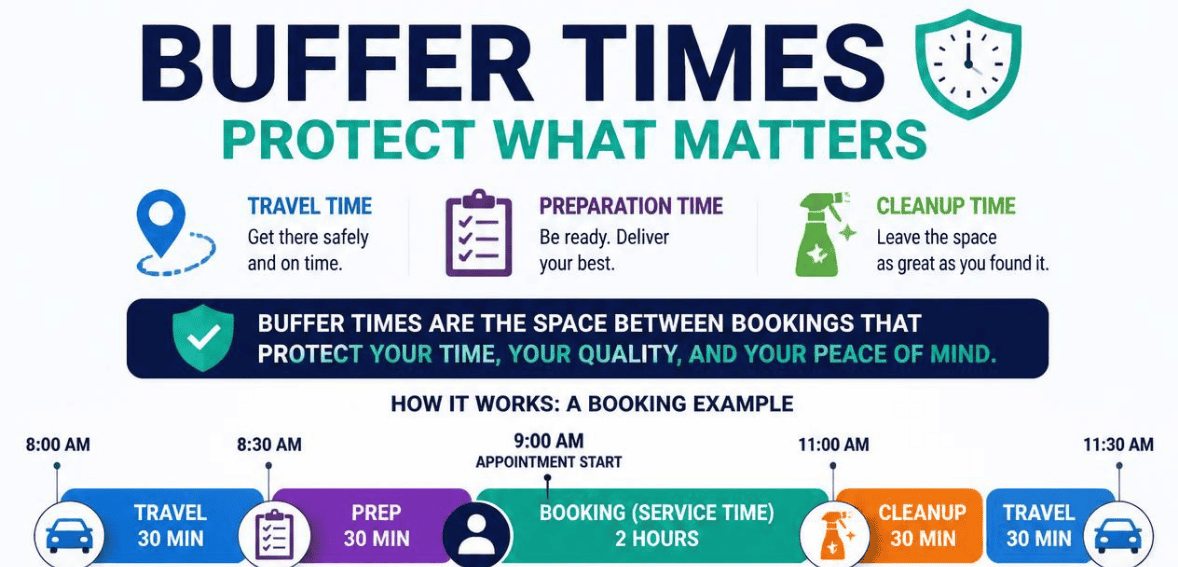
The solution is quite simple and is built into most scheduling software. It’s called booking buffer time. This is a small cushion of time that you can add to your calendar that protects the time you need to travel to an appointment, prepare for it, and clean up afterwards.
This guide will explain booking buffer time and will provide the steps to add booking buffer time in several scheduling software. By the end of this guide, your scheduling software will no longer require you to do a back-to-back scramble.
What Is Booking Buffer Time?
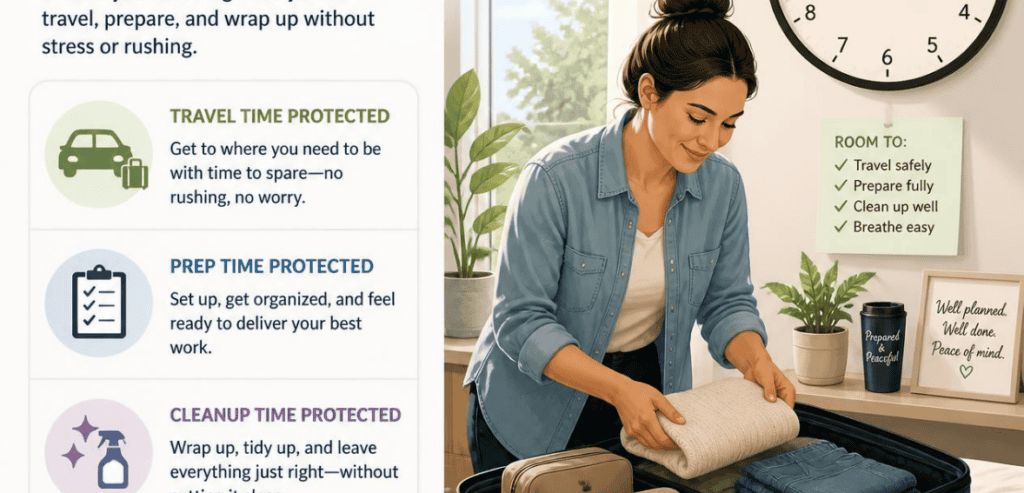
Booking buffer time is a deliberate gap you add before or after an appointment. You set it once, and your scheduling software applies it automatically. It creates breathing room between one client and the next.
This part is pretty cool. These buffers are completely invisible to your clients. They only see your available time slots and the real length of your services. Because the extra minutes are behind the scenes, no one will show up early expecting a longer session.
You can add a buffer before the appointment, after the appointment, or both. A pre-appointment buffer protects your prep time. A post-appointment buffer covers cleanup and follow-up. They work together to ensure that the next appointment is never booked directly after the last one. All the platforms have the same working idea, but a slightly different naming convention.
Why Booking Buffer Time Matters for Your Business
Rushing between clients does more damage than most people realize. When you race from one session to the next, mistakes slip in. You forget to sanitize a station. You skip reviewing a client’s file. You arrive flustered and a few minutes late.
Buffer time takes away that stress. It keeps each appointment high quality rather than forcing even more appointments into the day. Owners who implement smart padding often see a huge positive difference. The appointment system feels more relaxed, the friction caused by no-shows is less, and overall satisfaction increases. Higher-quality appointments generate better reviews, more referrals, and more revenue per client.
There is even a wellness piece. Constant back-to-back appointments are an almost certain pathway to burnout. Adding a small gap between bookings gives you room to reset and handle follow-ups, so you can stay focused on the client in front of you. It helps keep your energy steady throughout the day. It is not a system designed to reduce effort. The intent is actually to increase the value of every appointment.
How Buffer Time Protects Your Travel Between Appointments

Travel is where tight schedules fall apart first. If you offer mobile services, house calls, or on-site consulting, you already know the problem. A client thinks their slot starts at 1:00 p.m. But you are still stuck in traffic across town.
A booking buffer solves these problems. Set a travel buffer of 15–30 minutes to ensure your booking page never shows two locations back-to-back. The next slot becomes available only after you’ve scheduled realistic driving time.
This makes a difference for any professional who needs to travel between appointments, such as cleaners, photographers, trainers, therapists, contractors, etc. Travel time includes the time it takes to walk a client to the door and return to a shared room, and the time it takes to walk between floors. Buffer time accounts for these small time-consuming transitions, and you never arrive late for an appointment, even if you had to travel between appointments.
How Buffer Time Protects Prep Time
Great appointments start before the client walks in. You review notes. You set up equipment. You lay out materials. You get your head in the right space for the work ahead.
If there’s no gap between bookings, there will be no time to prepare for the next appointment. Having a buffer before an appointment creates not only a time slot to prepare, but also a time slot to get mentally ready.
The preparation you do will depend on the service. If you are offering a consultation, you may only need time to retrieve some files. On the other hand, a photo shoot or a medical appointment will definitely need more time to prepare both the room and the equipment. You should create a buffer to match that time. If the client walks in with time to spare, it creates a good impression that will influence the client for the remainder of the appointment.
How Buffer Time Protects Cleanup Time
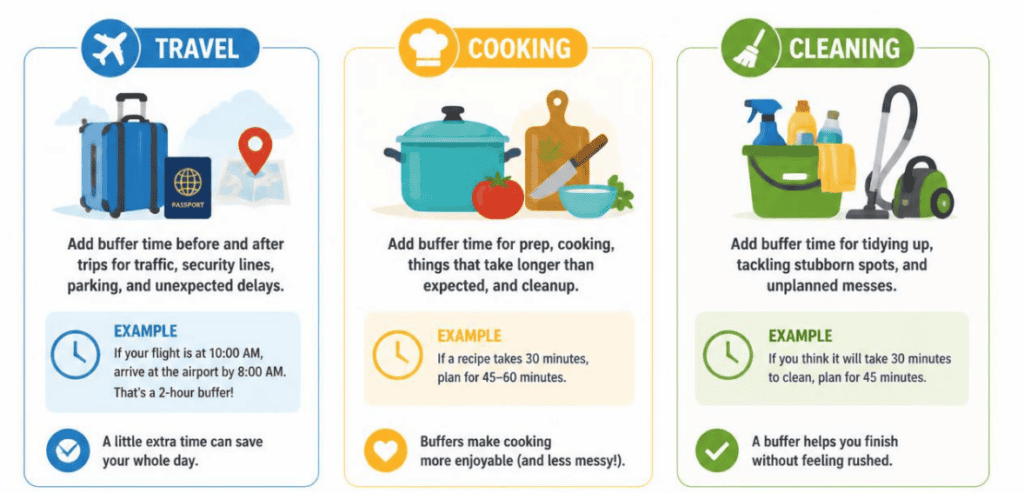
Cleanup buffers are typically the most overlooked buffers, and they are quickly becoming the most important. After-appointment buffers account for all of the final tasks you do that come after a client leaves your space. You sanitize and reset your space. You take notes while the details of the session are still fresh. You mentally process what was discussed and prepare for the next client.
Salons make for a great example. A quick trim wouldn’t need much time to reset the space, but a full coloring treatment would need a longer reset to sanitize and clear the tools. Having a post-service buffer for each type of service helps keep your schedule on track.
Physical and mental resets are both equally important. Taking a quick pause to buffer between clients helps keep your work and mental focus on track, and helps prevent stress from bleeding onto the next client.
How to Set Booking Buffer Time in Popular Scheduling Tools
Nearly every modern booking platform supports buffer time. The names differ, but the setup follows a similar path. Here is how three widely used tools handle it.
Calendly
Finding buffers with Calendly has been simplified. Head to your Scheduling page. Select the event type you wish to alter. Click “More options,” then “Limits and buffers.” Click “Set buffer time,” and select the duration you wish to add before and/or after a meeting.
Think in time intervals. For example, a meeting that is 30 minutes long with 15-minute buffers on the front and back will need a full hour available in order to be scheduled. The meeting remains 30 minutes long, but the time in front and back remains protected. While it does check for openings in the connected calendar to avoid overlaps, Calendly buffers apply only to meetings booked through Calendly.
Acuity Scheduling
Acuity calls its buffer feature “padding.” Open your Acuity dashboard, click “Appointment Types,” and edit the type you want to adjust. You can add padding before appointments, after them, or both.
The padding does not overlap between bookings. So if you add 10 minutes before and 10 minutes after each appointment, you end up with 20 protected minutes between two clients. One quirk to remember: Acuity skips padding before the first appointment in an availability block. If your day starts at 9:00 a.m., that first slot will not get a pre-appointment buffer.
Square Appointments
Square Appointments adds buffers to each service with an “Extra Time” or blocked-off time setting. To edit one of your services from your Square Dashboard, head over to your Service Library and select the desired service. There, in the price and duration section, you can block off extra time after the service for up to an hour.
This is an ideal solution for the turnover-heavy business models of massage therapy, spa treatments, and salons. Keep in mind that Square implements this blocked time on a per-service basis. To have a gap after every appointment, you would need to do it for every service in your library.
How Much Booking Buffer Time Do You Need?
There is no perfect answer because the right buffer is contextual. Fast and low-touch services like tutoring and eyebrow threading only need about a 5- to 15-minute buffer. Fifteen minutes is the common choice for gym and salon services. More involved services like healthcare appointments and photography sessions usually need a 30-minute buffer.
If you want a safe starting point, 15 minutes is about the least that still functions as a real buffer. Use this amount for a couple weeks to develop your schedule. Are you still feeling rushed and having to rapidly proceed to your next job? Increase the amount of time you buffer. Are you idling waiting for your clients to arrive? Decrease the time. The goal is not an empty calendar or a packed one, but a rhythm you can sustain.
Common Booking Buffer Time Mistakes to Avoid
The worst error is skipping the buffer setting entirely and trying to block your time by hand. It seems harmless until the one day you forget, and your break gets booked over. Automatic buffers remove that risk because the software enforces the gap for you.
It is worth doing the arithmetic, because buffers stack on both sides. A 30-minute buffer before and after adds a full hour to every booking. So a 30-minute appointment with 30-minute buffers occupies a 90-minute block on your calendar, even though the client is only with you for half an hour.
Oversized buffers are just as counterproductive, because they burn hours you could be booking. Padding a 45-minute service with 30 minutes on each side turns it into a 105-minute block, which quietly cuts how many clients fit in a day. The goal is to find the smallest buffer that still keeps you unrushed.
Conclusion
Booking buffer time is a small setting with a big impact. It guards the travel minutes you need to arrive on time. It protects the prep window that lets you start strong. And it defends the cleanup gap that keeps your space and your mind clear.
You do not need a complicated system to make it work. Pick your scheduling tool, add a sensible buffer to each service, and let the software enforce it automatically. Start around 15 minutes, watch how your days feel, and fine-tune from there.
Your calendar should support your work, not fight against it. A few protected minutes between appointments give you back control of your day. Set your buffers today, and give every client the calm, prepared, unrushed experience they deserve.
Frequently Asked Questions (FAQs)
Can my clients see my booking buffer time?
No. Buffer time stays invisible to your customers. They only see the actual service length and the open slots on your booking page. The extra minutes work quietly in the background to protect your schedule.
Should I use a buffer before an appointment, after it, or both?
It depends on your needs. Use a before-appointment buffer for travel and prep. Use an after-appointment buffer for cleanup and notes. You can combine both, but remember they add up, so keep the total gap realistic.
Does booking buffer time reduce how many appointments I can book?
Slightly, yes. Every buffer takes a piece of your available hours. The trade-off is worth it. Fewer rushed appointments usually means higher quality, better reviews, and stronger repeat business, which more than makes up for the small drop in raw slots.
How much buffer time should I start with?
Fifteen minutes is a solid default for most service businesses. Test it for a week or two, then adjust based on how your real days play out. Add time if you feel rushed, and trim it if you notice idle gaps.