
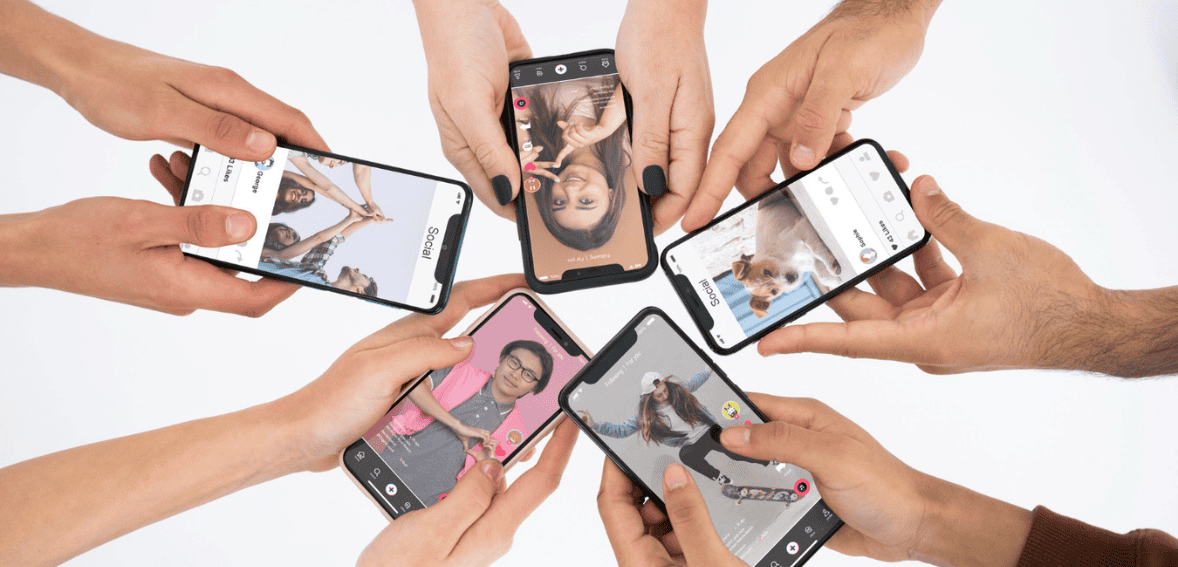
A website used to be the obvious place where customers discovered a business, checked services, and made an appointment. Social media has changed that path. A potential customer can now discover a hairstylist through an Instagram Reel, find a photographer through TikTok, view recent work, check prices, ask a question, and move directly into a booking process without ever visiting a traditional website. For small service businesses, creators, trainers, consultants, beauty professionals, photographers, tutors, and local businesses, that can remove a major barrier between attention and action.
The challenge is turning social media interest into an organised booking rather than a long chain of messages. Anyone learning how to take bookings from Instagram should think beyond simply adding “DM to book” to a profile. A proper booking flow needs to capture the right information, show availability, collect a deposit or payment when appropriate, confirm the appointment, and reduce double bookings. Instagram currently supports profile action buttons for eligible business accounts through supported partners, while TikTok Business Accounts can add a website link to their profile and TikTok also offers in-app lead generation tools for eligible business use cases.
The important point is that “without a website” does not mean “without a system.” Your social profiles can be the storefront while a booking page, scheduling tool, form, payment link, or messaging workflow handles the transaction behind the scenes.
Decide What Counts as a Booking Before Building the Flow
Not every business needs the same booking process. A haircut appointment can often be booked immediately because the service duration and price are known. A wedding photographer may need to confirm the date, location, package, and travel requirements before accepting payment. A consultant might want a short qualification form before allowing a prospect to choose a meeting time. An event venue may need to treat the first interaction as an enquiry rather than a confirmed reservation.
Before choosing tools, define the moment at which a customer is actually booked. It might be when an appointment is added to the calendar, when a deposit is paid, when a form is approved, or when the business manually confirms the request. This distinction matters because social media conversations often create false bookings. A customer saying “Saturday works” in a DM does not necessarily mean the slot has been reserved unless both parties understand the next step.
The flow should therefore move people through clear stages: interest, required information, availability, payment if needed, and confirmation. When those stages are defined, Instagram and TikTok become acquisition channels rather than informal inboxes where appointments can easily disappear.
Use One Clear Booking Destination From Your Profile
The simplest no-website setup is to send social media visitors directly to a dedicated booking page hosted by a scheduling platform. The customer clicks a profile link, selects a service, chooses an available date and time, enters contact details, and completes whatever payment or confirmation step the business has configured.
This works because a booking page does not require you to build a full website. It can function as a standalone destination. Instead of creating Home, About, Services, Contact, and Booking pages, a small business can send interested customers directly from social media to the action they are already trying to complete.
The profile call to action should make the destination obvious. “Book an appointment,” “Check available times,” or “Reserve your session” communicates more than a generic “Link below.” If the profile link opens a page containing ten unrelated links, the customer has to make another decision. When bookings are the main objective, consider placing the booking option first or linking directly to it.
Instagram Can Support a Direct Book Now Path
Instagram provides action buttons for business profiles, including a Book Now option that can connect eligible businesses with supported action-button partners. Meta’s current guidance says businesses can add an action button from the Edit Profile area and select an available partner. Availability can depend on the partner and region.
This can create a shorter route than asking someone to find a link in the bio. A person views the profile, taps Book Now, and moves into the connected scheduling experience. For appointment-based businesses, that is useful because the customer’s intent is already high when they reach the profile.
However, businesses should not build their entire process around a platform feature without checking whether the required booking provider and action button are currently available for their account. Social platforms change integrations over time. A profile link to an independent booking page provides a useful backup because it is easier to move between scheduling providers without changing the entire social strategy.
TikTok Can Send Customers Straight to a Booking Link
TikTok Business Accounts can add a website link to their profile. That destination does not have to be a conventional business website. It can be a hosted scheduling page, appointment form, event reservation page, or another appropriate booking destination. TikTok’s support documentation currently identifies website links as a feature available to Business Accounts.
That makes the TikTok content itself the discovery layer. A video can demonstrate the service, answer a question, show a transformation, explain pricing, or create urgency around limited availability. The call to action then tells the viewer exactly where to go next. For example, a personal trainer might end a video by directing viewers to the profile to book a consultation, while a makeup artist might direct people to check available event dates.
Keep the transition simple. If the content promises “Book a 30-minute consultation,” the link should not open an unrelated social link page where the visitor has to search for that consultation again. The more closely the destination matches the promise made in the content, the easier the booking journey becomes.
DM-to-Book Works, but Only With a Defined Process
Direct messages remain useful for services where customers normally have questions before booking. They work particularly well for customised appointments, higher-priced services, event work, rentals, coaching, and projects where availability alone does not determine whether the business can accept the booking.
The problem is that “DM to book” often becomes “DM to begin a conversation.” The customer sends “price?” The business replies hours later asking for a date. The customer responds the following morning. The business then asks which service they want. After six messages, nobody has paid a deposit and the time slot is still not formally reserved.
A better system is to ask for all essential booking details early. For example, the first response can request the service needed, preferred date, location where relevant, number of participants, and contact information. Once those details are available, the business can either confirm availability or send the correct booking link. Instagram identifies conversations with business accounts as business chats, so businesses can use messaging as a genuine customer communication channel rather than treating it as an informal side conversation.
Use Saved Responses Without Making the Conversation Feel Robotic
If customers repeatedly ask the same booking questions, typing every response manually creates unnecessary work. Businesses can prepare reusable responses for common situations such as availability enquiries, pricing requests, deposit instructions, location details, cancellation terms, and booking confirmations.
The useful part is not automation for its own sake. It is consistency. If one customer is told that a deposit holds the date for 24 hours while another is told the date is immediately confirmed, disputes become more likely. Standard response templates help make sure the same booking rules are communicated each time.
The message should still be adapted to the person. A response can acknowledge the requested service or date before providing the next step. Customers usually do not mind structured communication when it saves time. What feels impersonal is receiving a long generic paragraph that does not answer the question they actually asked.
Put Pricing Information Before the Booking Step When Possible
One reason social bookings stall is that customers reach the calendar before understanding what the service costs. They choose a slot, enter details, and then discover an unexpected price or deposit requirement. This creates abandoned bookings and unnecessary follow-up.
Where the service has a fixed price, show it before the customer selects an appointment. If pricing depends on options, display a starting price or clear package choices. Custom services can explain what determines the quote and use the initial booking step as an enquiry rather than a confirmed appointment.
Your Instagram Highlights, pinned posts, TikTok videos, captions, and booking-page descriptions can all help answer pricing questions before the customer sends a message. This does more than save staff time. It filters out visitors who are not comfortable with the price and allows serious customers to move more quickly.
Ask Only for Information You Actually Need
A booking form should make the next step easier, not feel like an application for a mortgage. A simple appointment may require only a name, phone number or email address, service, and preferred time. A more complex booking could require location, group size, package choice, or a short description of the customer’s needs.
Every additional field creates friction. If the information will not affect availability, pricing, preparation, or communication, ask whether it is really necessary at the initial booking stage. Additional details can sometimes be collected after the reservation is confirmed.
There is also a difference between useful qualification and unnecessary interrogation. A consultant may genuinely need to know a prospect’s business type before a discovery call. A salon probably does not need ten questions before allowing a returning customer to reserve a straightforward appointment. The form should reflect the complexity of the service.
TikTok Lead Forms Can Work for Enquiry-Led Bookings
Not every TikTok lead needs to leave the app immediately. TikTok offers Instant Forms as part of its lead generation tools. TikTok’s current business documentation states that Instant Forms can collect contact information, ask questions, and even support appointment-scheduling use cases. Lead data can then be accessed through TikTok’s tools or connected workflows depending on the setup.
This can be useful when the customer cannot directly book without qualification. A venue, photographer, home-service business, tutor, or consultant might use a form to collect the person’s name, contact details, required service, date, and another qualifying detail. The business then follows up with available options.
However, a lead is not a confirmed booking. If someone submits an Instant Form, the business needs a clear next action and fast follow-up. The booking process should specify whether the customer will receive a call, message, availability link, quote, or confirmation.
Build a Route for Customers Who Are Not Ready to Book Yet
Social media often catches people earlier than search engines do. Someone might see a wedding photographer nine months before finalising a venue, discover a tattoo artist while collecting ideas, or follow a fitness coach long before deciding to purchase a session.
If the only options are “Book now” or leave, some of those prospects disappear. Businesses can create a softer next step. A visitor might send a particular keyword by DM, request a pricing guide, submit an enquiry, or follow the account for future availability announcements.
The key is to separate these people from actual bookings. A lead who requested information should not occupy a calendar slot, and staff should not count general enquiries as booked revenue. A simple pipeline can distinguish new enquiries, qualified prospects, awaiting deposit, confirmed bookings, completed appointments, and cancelled appointments. Even a small business benefits from knowing which stage each person has reached.
Use Deposits to Turn Interest Into Commitment
For services where no-shows or late cancellations are costly, a deposit can separate genuine bookings from casual interest. The amount might be fixed or calculated as part of the service price, depending on the business model and applicable rules.
The booking journey should explain exactly what the deposit does. Does payment confirm the slot immediately? Is the deposit refundable? Can it be transferred to another date? How much notice is required for rescheduling? Is the deposit applied toward the final bill? These terms should be visible before payment rather than introduced after the customer cancels.
For businesses researching how to take bookings from Instagram, this is one of the most important distinctions between an enquiry system and a booking system. A DM saying “I want the 3 PM slot” may indicate interest. A completed booking workflow with the required deposit and confirmation creates a much clearer commitment.
Never Let Instagram and TikTok Maintain Separate Calendars
A common problem appears when bookings begin arriving from several places. Instagram customers DM the business, TikTok viewers use a booking link, returning clients text directly, and staff members accept appointments over the phone. If these channels are not connected to one source of availability, double bookings become almost inevitable.
Use one calendar or scheduling system as the source of truth. Every confirmed booking should appear there regardless of where the customer originated. If 2 PM is booked through TikTok, the same 2 PM slot should no longer be available through the Instagram booking link.
Manual entry can work when booking volume is very low, but the process should still be defined. The person who confirms the booking should immediately record it in the main calendar. A booking does not belong only in an Instagram inbox because messages are not an availability-management system.
Add Buffer Time Instead of Booking Appointments Back to Back
A calendar filled with consecutive appointments can look efficient while creating operational problems. A 60-minute service may actually require 75 minutes when preparation, cleanup, payment, travel, or client transition is included.
The booking system should reflect the real time commitment. A photographer may need travel time. A salon may need cleanup between clients. A consultant may need ten minutes to make notes before the next call. A restaurant or venue may need turnover time between reservations.
Buffer rules protect the business from a schedule that works only when every appointment begins and ends perfectly. They also reduce the temptation to ask customers to wait because the previous booking ran late.
Prevent Customers From Booking Too Early or Too Late
Availability is not only about which hours are open. Businesses should decide how far in advance customers can book and how close to an appointment they can make a reservation.
A same-day booking may be ideal for a barber but difficult for a photographer who needs preparation time. A consultant might open availability 60 days ahead, while a wedding business could take reservations more than a year in advance. The right booking window depends on the service.
A scheduling system can enforce these rules more consistently than trying to explain them through DMs. For example, it can prevent a customer from booking an appointment only 20 minutes before the start time or selecting a date outside the business’s planning window. This removes negotiation from routine scheduling decisions.

Create an Automatic Confirmation That Answers the Next Questions
After booking, customers usually want to know whether the reservation worked, where to go, what to bring, how much remains to pay, and what happens if they need to reschedule.
A useful confirmation provides those answers immediately. It should include the service booked, date, time, relevant location or online meeting details, payment status, and instructions for changing the reservation. If preparation is required, such as arriving without makeup, bringing identification, completing a questionnaire, or preparing files, that information can also be included.
The customer should never finish a booking and wonder whether it was actually received. A clear confirmation reduces duplicate messages such as “Just checking if my booking came through.”
Send Reminders Based on the Type of Appointment
Reminders are especially useful when bookings are made several days or weeks in advance. A person can be genuinely committed at the time of booking and still forget the appointment.
The timing should match the service. A simple appointment might need one reminder the day before. A larger event booking could require several checkpoints because documents, balances, headcounts, or preparation details become due at different times.
Do not depend on Instagram or TikTok to remind customers simply because the booking originated there. Once the reservation is confirmed, the scheduling or communication system should manage operational reminders. Social media should generate demand, while the booking system manages the appointment.
Make Cancellation and Rescheduling Rules Visible Before Payment
Cancellation disputes often begin because the customer never saw the policy until after something went wrong. The booking flow should therefore display essential terms before the person confirms the appointment or pays a deposit.
Keep the wording straightforward. Customers need to understand the cancellation window, whether deposits are refundable, what happens after a late cancellation, whether one reschedule is allowed, and how to request a change.
The process should also be easy to follow. If customers are allowed to reschedule online, provide the correct link in the confirmation rather than requiring another DM conversation. If changes require manual approval, explain where the customer should contact the business.
Track Where Each Booking Came From
Once bookings are flowing, the next question is which social platform is producing paying customers rather than simply views.
Businesses can use separate booking links or tracking parameters for Instagram and TikTok where their tools allow it. A simple booking-form question such as “How did you hear about us?” can also provide useful information, although self-reported answers may not always be precise.
Do not evaluate performance using bookings alone. Compare profile visits, link clicks, enquiries, completed bookings, cancellations, no-shows, and revenue where practical. A TikTok video might produce many enquiries but few completed appointments, while Instagram could generate fewer enquiries with a much higher booking rate. That difference can influence where the business spends content and advertising effort.
Calculate Your Booking Conversion Rate
A simple conversion rate can reveal where the process is breaking down. Suppose 500 people visit the booking page during a month and 60 complete reservations. The booking-page conversion rate is 12%.
Now suppose 150 people start the booking process but only 60 finish. That suggests the problem may be inside the booking experience rather than the social content. Customers could be dropping out because prices are unclear, there are too many form fields, preferred dates are unavailable, payment is difficult, or the page is confusing on mobile.
Tracking the stages creates better decisions than simply trying to get more views. If thousands of people are already reaching the profile, the business may need to improve the booking flow before investing effort in attracting even more traffic.
Test the Entire Booking Journey on a Phone
Most Instagram and TikTok customers will encounter the business on a phone, so the booking experience should be tested on one.
Open the social profile as if you were a new customer. Watch a piece of content, read the call to action, open the profile, tap the booking link, select a service, choose an appointment, enter the required information, and reach the payment or confirmation stage.
Count how many decisions are required. Check whether important text is easy to read. See whether users have to create an account before booking. Confirm that the payment page works properly on mobile and that the customer can return to the previous step without losing everything.
A booking system that works perfectly on a desktop computer used by the business owner may still lose customers if the mobile journey is slow or confusing.
Use Content to Answer Questions That Block Bookings
Booking-focused social content should not consist entirely of promotions. Some of the strongest content addresses the concerns people have immediately before making an appointment.
A photographer can explain what happens after someone reserves a session. A salon can show the difference between two services that customers frequently confuse. A consultant can explain who a discovery call is designed for. A venue can show how its space looks at different guest counts. A trainer can explain what to expect during the first session.
This information reduces uncertainty. The content itself becomes part of the booking flow because the customer arrives at the scheduling page already understanding the service. The result can be fewer repetitive questions and better-qualified bookings.
Do Not Hide Availability Only Inside Stories
Temporary content can create urgency around openings. A business can post that two appointments are available tomorrow or that a cancellation has opened a popular weekend slot. However, availability should ideally connect to the same booking system used elsewhere.
If every availability update is handled manually through replies such as “Is this still available?”, staff must repeatedly confirm whether the slot has already been taken. Linking the post or profile to real-time availability provides a cleaner process.
Businesses can still use Stories and short videos to create urgency. The difference is that the content announces the opportunity while the booking system determines who actually secures it.
Know When a Website Becomes Worth Adding
A business does not need a website merely because it accepts bookings online. Social profiles combined with a well-designed scheduling page can be enough for a straightforward appointment-based business.
A website becomes more useful when customers need substantial information before booking, the business wants stronger search visibility, several services require detailed explanation, multiple staff or locations are involved, or the company needs content, FAQs, policies, case studies, and other information that no longer fits comfortably into social profiles and booking pages.
The right question is not whether every business needs a website. It is whether customers can currently move from discovery to informed booking without unnecessary confusion. If Instagram, TikTok, a booking page, and a clear communication process already accomplish that, a website can be added when it solves a real business problem rather than simply because businesses are expected to have one.
Build a Simple Social-to-Booking System
The easiest way to understand how to take bookings from Instagram and TikTok is to treat the process as one connected journey. Social content generates interest. The profile explains the offer and provides the next action. A booking link, action button, DM flow, or lead form collects the necessary information. A scheduling system controls availability. A payment tool handles deposits when required. Confirmation and reminders then move the customer toward the appointment.
Instagram currently provides Book Now action buttons for eligible business profiles through supported partners, while TikTok Business Accounts can use profile website links and TikTok offers native lead generation options that can capture customer information without requiring a traditional website. The exact features available can vary by account, provider, and region, so businesses should verify their current account options when setting up the flow.
The strongest system is usually not the one with the most tools. It is the one where every customer knows exactly what to do next. A person should be able to move from watching a Reel or TikTok to selecting a service, seeing availability, completing the required booking step, and receiving confirmation with as little friction as possible. Once that journey works reliably, a business